
After the May Day holiday, it's still relatively relaxed. I've been tinkering with many things I like and learning many technologies I enjoy, such as Tailwind CSS and NestJS mentioned in this article.
I should have published a learning summary right after finishing Tailwind (though I only scratched the surface), or waited until I finished NestJS to post them together. The former was delayed because I've been experimenting with new things recently, and the latter is simply because time is running out now—I no longer have time to continue studying NestJS. The experimental project has entered the integration testing phase, but there are still many bugs in my application layer framework, and I haven't finished reading a lot of the underlying code. So, I must go all out on the lab project from now on!
Before going into seclusion, let me organize these notes.
📚 Learning Resources
💡 First Encounter with Tailwind CSS v4
When I checked the official documentation today, I found that Tailwind has been updated again. I was learning version 4.2 at the time, and now it has iterated to 4.3.
Tailwind is a CSS framework centered on utilities, commonly referred to as an "atomic class framework." Its philosophy is somewhat similar to early Bootstrap, both achieving style rendering by adding ready-made class names to HTML tags.
But Tailwind has an unparalleled advantage: superb portability. Migrating from Vue to React basically requires only mindlessly copying the code. Even better, if you see someone online using Tailwind to create cool styles, you can directly copy their source code tags to "steal the styles in one click," since all the design logic is clearly written in the class names.
🛠️ Quick Start in a Vue Project
Using Tailwind v4 in a Vue 3 + Vite environment is very smooth:
1. Install Dependencies
First, install the Tailwind core package and its accompanying Vite plugin:
2. Configure the Vite Plugin
Import the plugin in your vite.config.ts (or .js) file:
3. Add the Entry Point
Add the import directive at the top of your global style.css file:
🔥 Tip: Don't forget to download Tailwind CSS IntelliSense from the VS Code extension marketplace. This will give you smooth class name syntax hints and color previews while writing code.
🧬 Detailed Explanation of Core Directives
Tailwind v4 advocates a CSS-First philosophy, allowing deep customization directly in the stylesheet through several powerful CSS directives.
🎨 @theme
Used to customize global design variables. The syntax follows standard CSS variable format (starting with --).
Detail suggestion: When defining color values, it is recommended to use the oklch format, which provides better visual consistency and is more friendly to the human eye.
🛠️ @utility
Used to define custom atomic utility classes, which can be directly used on HTML tags after creation.
🧱 @layer
Used to control the cascade layering of CSS styles. Tailwind, by default, resets browser styles to keep things pure (for example, h1-h6 are not bold). If your project heavily requires bold text, instead of manually writing font-bold each time, you can override it uniformly in the base layer:
✨ @apply
Allows you to "package" a long series of Tailwind atomic classes into a traditional native CSS class, used for unified component style management.
🎭 @variant
A very practical syntactic sugar in v4. It allows you to nest Tailwind variant states (such as dark mode, hover state, etc.) within custom CSS logic.
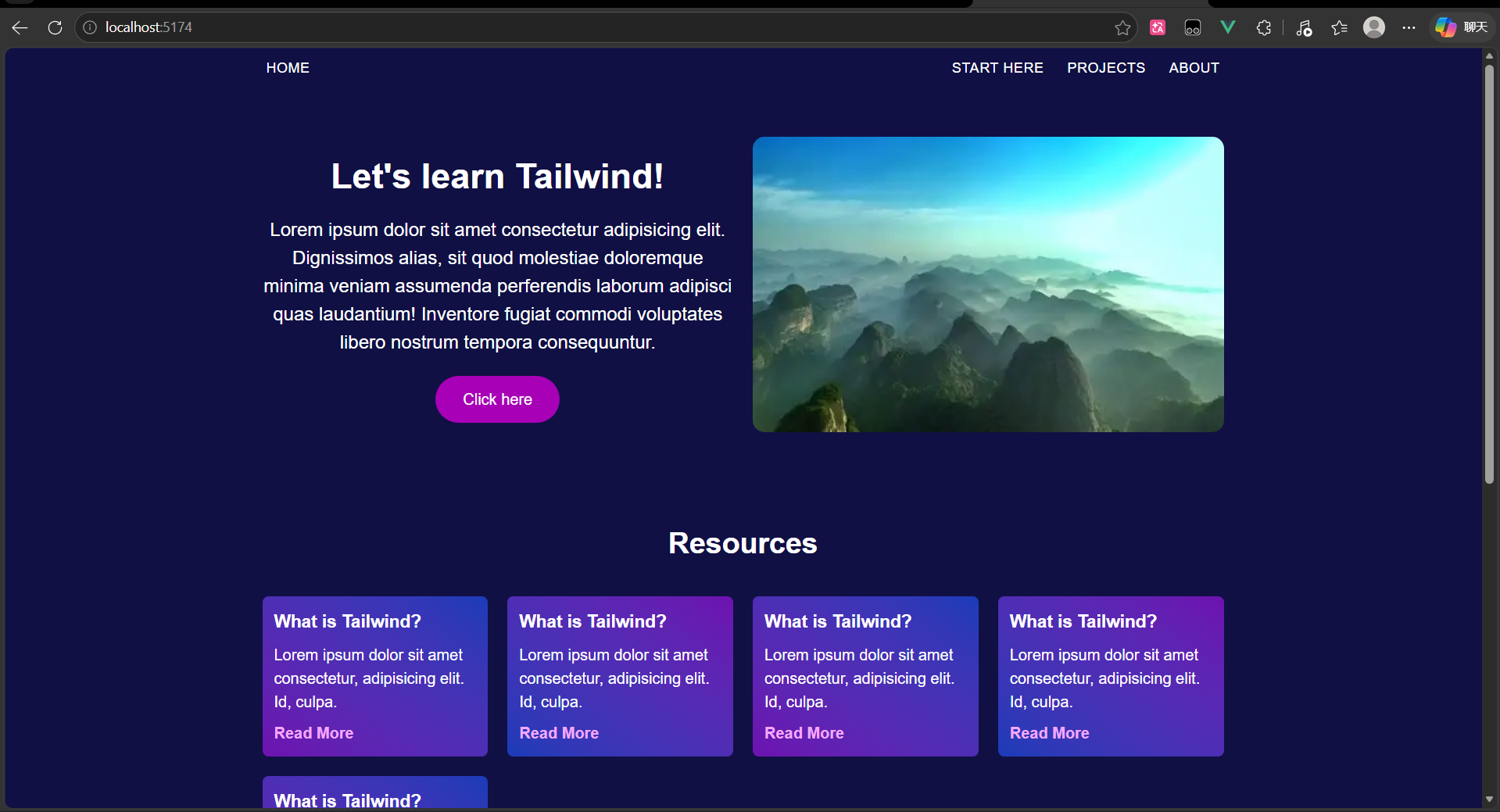
🎉 Stage Results Showcase
Finally, here are the practical results I produced by following the videos and coding along these past few days:
Ahhhh, I realize I've said too much again while writing! Time is really running out. I have to call now to follow up on the lab's integration progress. So, I'll stop digging into NestJS here. When the project is done and I have free time to finish learning it, I'll come back and post another summary!
See you all! 👋
Comments
No comments yet. Say something?